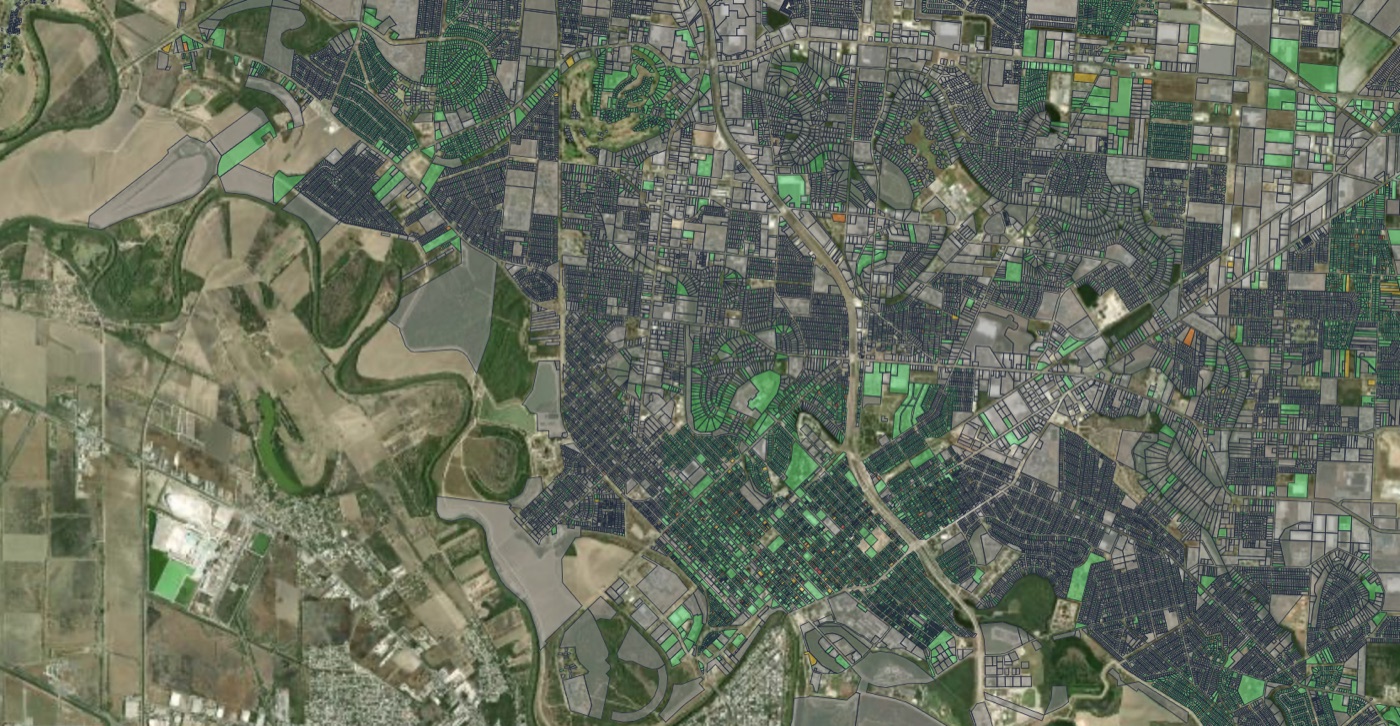
This week, code enforcement officers from across California will meet in Universal City for the CACEO Code Conference (November 3 to 5). One of the sessions on the agenda is called “The Good AI: Turning Imagery into Action for Code Enforcement.” A few years ago that session wouldn’t have existed. Now we hear “AI” in almost every conversation we have with code teams about how they manage properties.
The interest makes sense. Most code enforcement still runs on 311 calls and officers driving around looking for problems. The neighborhoods that call the most get the most attention, and officers spend most of their day finding and documenting issues instead of working with residents. Cleveland’s 2022 citywide property survey, for example, took 40 officers six months and cost about $170,000.
Several companies now offer to do that survey with cameras and computer vision. They don’t all work the same way. This guide explains the main options so your team can ask better questions before you buy. We sell one of them, so read with that in mind. We’ve tried to be fair, and we’ve linked to public sources wherever we could.
The options at a glance
| Who it’s built for | How images are collected | What you get | |
|---|---|---|---|
| City Detect | Code enforcement | Cameras mounted on city vehicles | Detections of 100+ blight indicators, a property-level patented blight score, courtesy notice workflows |
| Cyclomedia | Assessors, GIS, public works and community development | Cyclomedia drives its own vehicles with 360° cameras and LiDAR | High-resolution imagery and measurements in the Street Smart viewer, plus PropertyQC analytics for vacant and deteriorated properties |
| Placemetry | Code enforcement, public works and city leadership | Multiple options: We do a one-time City Snapshot drive, or we mount cameras to city vehicles in City Stream | Property and infrastructure detections from the same drive, with research-based property-level priority scores |
City Detect: Mass-Scale Urban Compliance
City Detect is a highly scalable SaaS ecosystem built to systematically clean up cities. Rather than sending out independent drivers, the hardware mounts directly onto vehicles that are already on the road daily, such as municipal trash trucks or street sweepers.
Its computer vision models look for more than 100 signs of blight and property decay, from graffiti and illegal dumping to overgrown lots and roof damage. Customers include Dallas, Cleveland, Stockton, Cathedral City and Miami-Dade County, and the company raised a $13 million Series A in March 2026. City Detect says every detection gets human review before any action is taken, and that it never earns revenue based on how many notices or citations a city sends.
Dallas is the largest public example, and it’s worth reading about before you start a program of your own. In December 2025 the city approved a three-year contract of about $2.56 million for 100 cameras on 50 brush and bulky trash trucks. In September 2026, NBC 5 Investigates reported that the cameras had given about 21,000 properties a “blight score” from 1 to 4 in four months, with the largest numbers in some of Southern Dallas’s lowest-income ZIP codes. Residents and a council member pushed back. In October, the city announced changes: softer language in its notices, blurring of people’s entire bodies instead of only faces, and no more use of the patented term “blight score.”
City staff said the scores were only ever used internally to decide what to review first. But labeling a family’s home as “blighted” is exactly the kind of thing that turns a useful tool into a council agenda item. Some cities will be comfortable with that approach. Others will want a way to prioritize that doesn’t put a blight label on individual homes.
Cyclomedia: Precision Imagery for Assessors and GIS Teams
Cyclomedia has been capturing street-level imagery for decades, and its strength is precision. Its vehicles collect 360° imagery and LiDAR, and staff view everything in Street Smart, a browser-based viewer where they can measure building heights, façade lengths or setbacks to within an inch from their desks. Cyclomedia says it captures far more images per parcel than other street-level providers.
For property conditions, Cyclomedia offers PropertyQC analytics, which it markets mainly to tax assessors. PropertyQC helps identify vacant, abandoned and deteriorated properties, supports remote re-inspections, and helps keep property records current. Its materials also mention verifying property conditions and analyzing neighborhoods for blight for community development teams. Chester, Pennsylvania used Cyclomedia for a citywide parcel condition survey that rated nearly 14,000 properties on a 0 to 5 blight severity scale.
The trade-off is how often the data is refreshed. Cyclomedia drives on a collection cycle, so the imagery shows the city as it looked on capture day. That works well for assessment, GIS and engineering. Code enforcement problems such as dumping, tall grass and abandoned vehicles change week to week, so a once-a-year capture may not keep up. Cyclomedia is also a premium product, and cities usually justify it by sharing the cost across several departments.
Placemetry: Built by Urban Researchers
Placemetry started in a classroom. In 2020, founder Erik Johnson, a professor at the University of Alabama at the time, started developing computer vision models to detect features of the built environment to help him research how to improve cities. When he realized that cities could also benefit from this data, he founded Placemetry.
Three things set Placemetry apart from the other options.
One drive covers the whole right-of-way. The same drive that documents property conditions also rates pavement, inventories street signs and flags hazards on public infrastructure. Code enforcement, public works and planning all work from one dataset, so the city doesn’t need a separate vendor for each.
The City Drive app keeps it simple for code teams. City Drive gives your team turn-by-turn directions for the routes they need to cover, so drives actually get done. It handles both continuous collection on a regular schedule and on-demand drives when a complaint comes in or a neighborhood needs a recheck. It also tracks updates to the data over time, all in one app. If you’d rather not drive at all, we can drive for you, or put cameras on vehicles that already cover every street.
The city keeps their data. They can download it and upload it into their existing systems. Or they can use it in our interactive app. We never share or sell the data.
The other big difference is how we prioritize. Every property gets a priority score, but it isn’t a blight label. Our research-based scores take into account the city’s own code book, the estimated economic effect of a property’s condition on neighboring homes, and its estimated effect on the neighborhood as a whole. A dangerous structure on a block of well-kept homes may rank higher than a cosmetic issue somewhere else, because fixing it does more for the people around it. The scores also include public assets like streets and sidewalks, not only private homes. The goal is to look at all the data together and point city teams to the places where their work will improve the community most.
What cities ask us
Before they choose any of these tools, code managers and city leaders tend to ask the same questions. Here are the most common ones.
“How tough are the cameras?” Fleet vehicles get power-washed, scraped by tree branches and driven through every kind of weather. Cities want to know if a camera survives a car wash or snaps off the first time a truck brushes a low limb. Ask every vendor how the hardware is mounted, whether it’s weather-rated and who pays when a unit is damaged. Placemetry’s cameras are built by Carnegie Robotics, ruggedized and rated for extreme climates. They hold up to power-washing and branch strikes, which matters when the camera lives on a truck that works every day. Not every vendor is as open about hardware. City Detect doesn’t publicly say which cameras it uses, so ask. Cyclomedia has their own proprietary cameras, but these don’t get mounted on city vehicles.
“How should we use the technology?” This is often the first decision, and cities land in different places. Some use these tools to be reactive, just more efficient: when a complaint comes in, an officer checks the latest photos before deciding whether a site visit is needed right away. Others use the data to make sure conditions are equitable across neighborhoods, comparing blocks instead of responding only to whoever calls the most. And some go fully proactive, sending notices to homeowners based on what the cameras find. There’s no single right answer, but it’s worth deciding before you buy, because it shapes which tool fits and how residents will react. A program that starts by checking complaints and comparing neighborhoods is easier to explain than one that starts by mailing letters.
“Is this going to be our Flock moment?” Many residents have strong feelings about license plate reader cameras, and some councils have canceled those contracts. Cities worry that any truck-mounted camera will be seen the same way. How a program is framed matters as much as the technology. Blight detection on individual homes can make residents feel targeted. Priority scores that help improve the whole city, public streets included, tend to feel less invasive. Both City Detect and Placemetry blur faces and license plates before the data reaches the city, and both capture only what’s visible from the public right-of-way. Still, as Dallas found out, blurring alone doesn’t settle the question. Your communications plan and the wording of your notices count too.
Three tests for comparing your options
When cities tell us what they wish they’d checked before signing, it usually comes down to three questions:
Is it cost-effective over the long run? Look at three to five years, including hardware, renewals and staff time.
Is it objective? Is every block checked the same way, or only the blocks that generate complaints?
Is it continuous? Can you see what a property looks like this month, and recheck it on demand?
Here’s how we’d rate each option ( strong, partial or depends, weak):
| Cost-effective | Objective | Continuous | |
|---|---|---|---|
| City Detect | Strong value at large-city scale; a multi-year, multi-million-dollar contract in Dallas | Same cameras on every route | Fleet-mounted; Dallas planned citywide scans about every 30 days |
| Cyclomedia | Premium imagery and LiDAR, usually shared across departments | Very high-resolution, measurable imagery | Captured on a collection cycle, not continuously |
| Placemetry | One drive serves several departments; choose DIY, vendor-driven or fleet | Every block checked the same way, with research-based scoring | Scheduled and on-demand drives through City Drive, or fleet cameras |
Other names you’ll hear
EagleView and Nearmap sell aerial imagery, which is useful for roofs, pools and additions but can’t see façades, front yards or curbside dumping. Google Street View plus an officer at a desk is the do-it-yourself baseline, but the imagery is often years old. Vialytics and Cyvl focus on roads and right-of-way assets rather than property conditions.
Questions to ask every vendor (including us)
Our CEO, Erik Johnson, wrote about this for GovTech in 7 Questions to Ask Gov Tech Vendors Before Signing a Contract. It covers uptime data, hardware ratings, data ownership and more, and it’s worth reading before any RFP. For property condition tools in particular, we’d add these:
- What will we pay in total over three to five years, including hardware, installation, renewals and staff time?
- How do you decide which properties come first, and what words will appear next to a resident’s address?
- Do the priorities reflect our own code book, or a generic model?
- How are faces, license plates and people blurred, and what happens when blurring misses something?
- Which cameras do you use, how durable are they, and who pays for damaged units?
- Will our staff need personal phones?
- Does the tool support the approach we want, whether that’s checking complaints faster, comparing neighborhoods or sending proactive notices?
- Who owns the images and detections, and can we export everything if we leave?
- Can the same data serve public works and planning, or only code enforcement?
Frequently asked questions
What is the best alternative to City Detect?
It depends on what you want to change. If you want precise imagery for assessment and GIS, Cyclomedia is strong. If you want one drive that covers both properties and infrastructure, with priorities based on neighborhood impact rather than a blight label, Placemetry is built for that.
Is AI code enforcement legal?
Cameras that capture only what’s visible from the public right-of-way are generally treated like an officer driving down the street. Rules on notices, records retention and public records requests vary by state, so involve your city attorney early.
Does AI replace code officers?
No. In every program we know of, a person reviews detections before a notice goes out. The aim is to spend less time searching and more time with residents.
How do we avoid the backlash Dallas faced?
Be clear about what the cameras capture and how images are blurred, avoid labels like “blight score” on individual homes, write notices that read as offers of help, and show residents how the data improves public streets and services as well.
Heading to CACEO? We’d love to compare notes. Book a 20-minute call and ask about a free pilot assessment of one of your neighborhoods.
Sources: City Detect website, responsible AI policy and press materials; NBC 5 Dallas-Fort Worth (September 2 and 24, and October 19, 2026); GovTech (April 9 and October 20, 2026); KRLD/Audacy (September 3, 2026); City of Dallas council briefing on AI-powered camera technology; Cyclomedia website and published materials; City of Chester Receiver (January 2025); TechCrunch (March 6, 2026); CACEO 2026 Code Conference agenda. Information current as of October 2026. Vendors: if anything here is out of date, email us and we’ll correct it.